
Several Claude accounts, side by side
Sessions from every account share one list. Group them by state, by the repo each one really works in, or by account, and keep an eye on each account’s 5-hour and weekly limit without opening anything.
Mastlight is an app for Mac and Windows for people who keep a lot of Claude Code sessions going at once, on one account or several. Every session tells you what it needs, and you answer it in one place. No more tab safari.
> Split the request handler into routes and services, then run the tests.
● I'll start with the handler.
  ⎿ Read src/server/handler.ts (318 lines)
● Edit src/server/routes.ts
  ⎿ Added 42 lines
Waiting on you api-refactor A1
npm test -- --watch=false
Claude says: Run the unit tests once
one vocabulary
features
Sessions from every account share one list. Group them by state, by the repo each one really works in, or by account, and keep an eye on each account’s 5-hour and weekly limit without opening anything.
Whatever is waiting, on any account, lands in the inbox, oldest first. ⌘ J Ctrl Shift J jumps to it, and you answer right there. No more guessing which terminal tab asked.
A card shows the real command, the plan, or the question with its options, built from what the session is asking. Answer with a key, right from the message box: ⌥ 1 Alt 1 allows once, ⌥ 3 Alt 3 denies. Each card is one decision; there is no approve-everything button, on purpose. Cards dock under the terminal or the Conversation view, which shows the transcript as proper Markdown: headings, lists, tables and code blocks.
Each session runs in a built-in terminal owned by a small background helper, not by the window. Quit or update Mastlight and the sessions carry on without it. Open it again and every tab reattaches, scrollback and all.
If the helper gets killed or the computer restarts, the next launch offers “Restore 6 sessions”. Each one picks up in its own folder, under its own account.
The Agents panel sits under the Inbox and lists the running agents and background tasks of the session you are looking at, with model, effort and how long each has been at it. Every session also has an Agents tab, the Agent Board, for the full picture. Every running agent gets a small firefly with its light on, and in the Firefly jar they orbit their session. Finished ones fold under a “Finished” heading until you open it, and model names read like “Opus 5.5”. To change a session’s model, click its name in the session header and pick Fable, Opus, Sonnet or Haiku: Mastlight switches it for you, with no trip to the terminal. The effort menu next to it works the same way. A session stays Working while any agent it started is still running, even after its own turn ends. Rename a session in Mastlight and Claude’s own name for it follows, however long Claude stays busy.
On a Mac, a claude already running in iTerm, Terminal or tmux shows up in an External group, read-only, so nothing hides from you. When you are ready, File › Import sessions… moves them in: Claude exits in the old tab and the same conversation resumes here, same account, same folder. A busy one can wait until it is idle.
If a project has a running dev container, from VS Code or the devcontainer CLI, Mastlight can start Claude Code inside it. The Conversation view, the inbox, permission cards and restore work the same as outside the container, and nothing in your project has to change. On a Mac it works with Docker Desktop, OrbStack, Colima, Rancher Desktop or Podman. On Windows it understands Docker Desktop’s paths, but that has not been run on a real PC yet, and folders inside WSL are not supported. Claude Code needs to be installed in the container.
you stay in command
Some tools take a goal and send a crew of agents off on their own, then hand you the result to trust. Mastlight is the other shape.
Every session is one you started. Every permission, plan and question waits for your key, one decision at a time. Nothing happens off-screen, on any account, and all of it stays on your Mac.
between turns
Every live session is a firefly in a dark jar. The ones waiting on you glow amber at the front with their names, working ones drift cyan, finished ones settle low, and agents orbit the session that started them. Click the mastlight wordmark, press ⌘ ⇧ G Ctrl Shift G, or choose Open the firefly jar on the All quiet screen. Leave Mastlight alone and it takes over the main pane by itself: after 10 minutes by default, or 5, 15 or 30, or never. Never in the middle of a game, a sheet or a sign-in. The sidebars stay put, nothing you type reaches a terminal, and picking a session takes you straight back to it. The fireflies size themselves to the window and to how many sessions you have.
Snake, Bananas and Pong, for the minutes while a turn runs, drawn in Mastlight’s own night colors. The moment a session needs you or has a reply, the game pauses and says which one: Go there, or Keep playing. Keys meant for the game never reach a terminal. Best scores stay on this computer, sound is off until you want it, and one setting hides the whole arcade.
What got done today: turns finished, cards allowed and denied, questions answered, time sessions spent working, the longest turn, agents launched, high scores. Step back up to a week, or copy it as text. It is kept on this computer for 30 days and holds ids and times, never what was said.
new in 1.2
The header shows the branch, lines changed, uncommitted files and the pull request with its checks. The Actions menu (commit, commit and push, open a PR, review, fix review comments, resolve conflicts, write a recap) puts an editable prompt in Claude’s message box and waits for your Enter. Only the actions that fit the repo’s state are offered.
See what your tokens would have cost on the API, by day, model, project, account and session. Your plan isn’t billed this way; it shows what the plan is worth.
⌘D splits a session’s terminal to the right and ⇧⌘D splits it down (Ctrl+Shift+D and Ctrl+Shift+H on Windows). Each pane is a shell in the session’s folder, and the layout comes back after a restart.
Start a session with a prompt once, daily, on weekdays, every few hours or on a cron expression. The background helper runs them even with the window closed, and a run missed while your computer slept catches up once.
An MCP server and a mastlight command let a session list, read, message, answer, start and stop your other sessions. Every call goes into an audit log you can read in Settings, and prompts sent this way are marked in the conversation. On by default, and one switch turns it off.
If Claude leaves a prompt open in the terminal, such as a permission card that timed out, the conversation shows “Waiting on a prompt in the terminal” with the question, the session turns amber, and your draft stays in the box until you answer.
new in 1.1


Finished sessions line up oldest first, each with a reply box and your usual quick replies. ⌘ Y Ctrl Shift Y opens it, ⌘ ⇧ J Ctrl Shift U steps to the next.
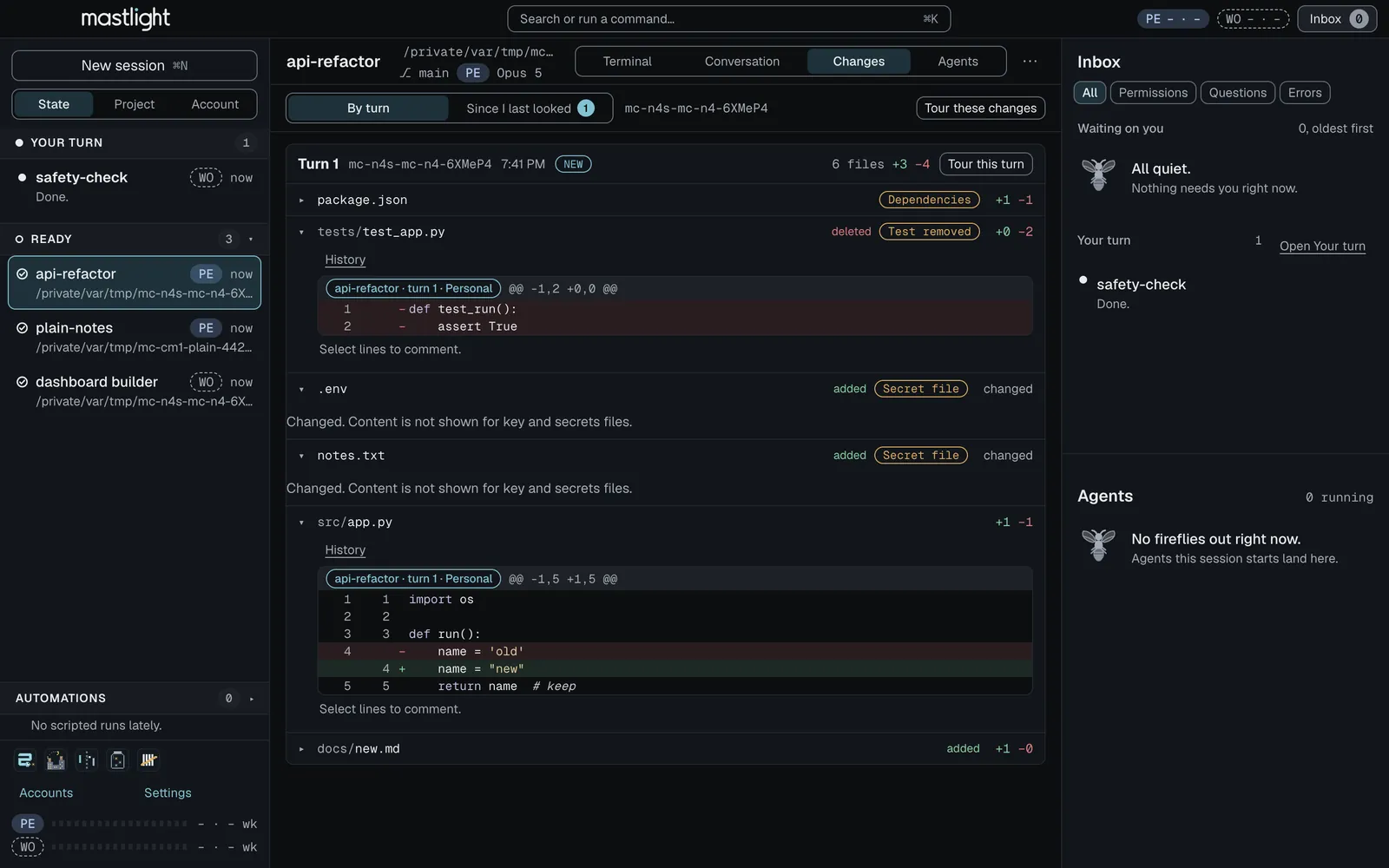
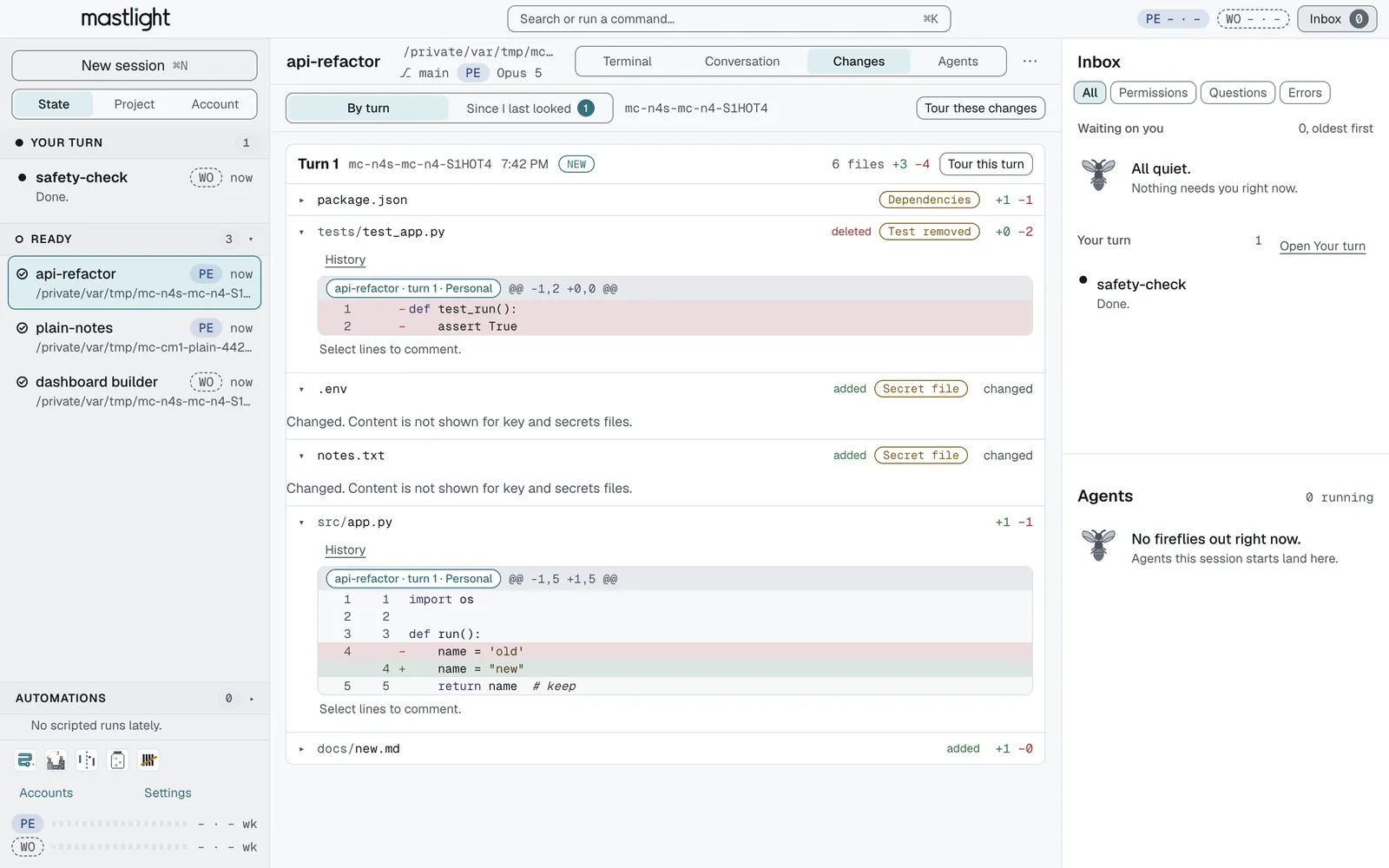
A Changes tab shows every file each session changed, including edits made by Bash and subagents, and flags the ones worth reviewing first. It works from copies, so your repo is never written to.


A slider replays a file’s history, every hunk says who made it, and a comment on selected lines goes straight to that session. Moved code reads as moved.


The session’s own Claude walks you through the change in four to six stops with a risk note on each. It is off until you switch it on, because it uses your limits.


Every subagent a session launched, running or done, with its task, outcome and transcript, plus a strip showing a GRAPH.md’s progress.
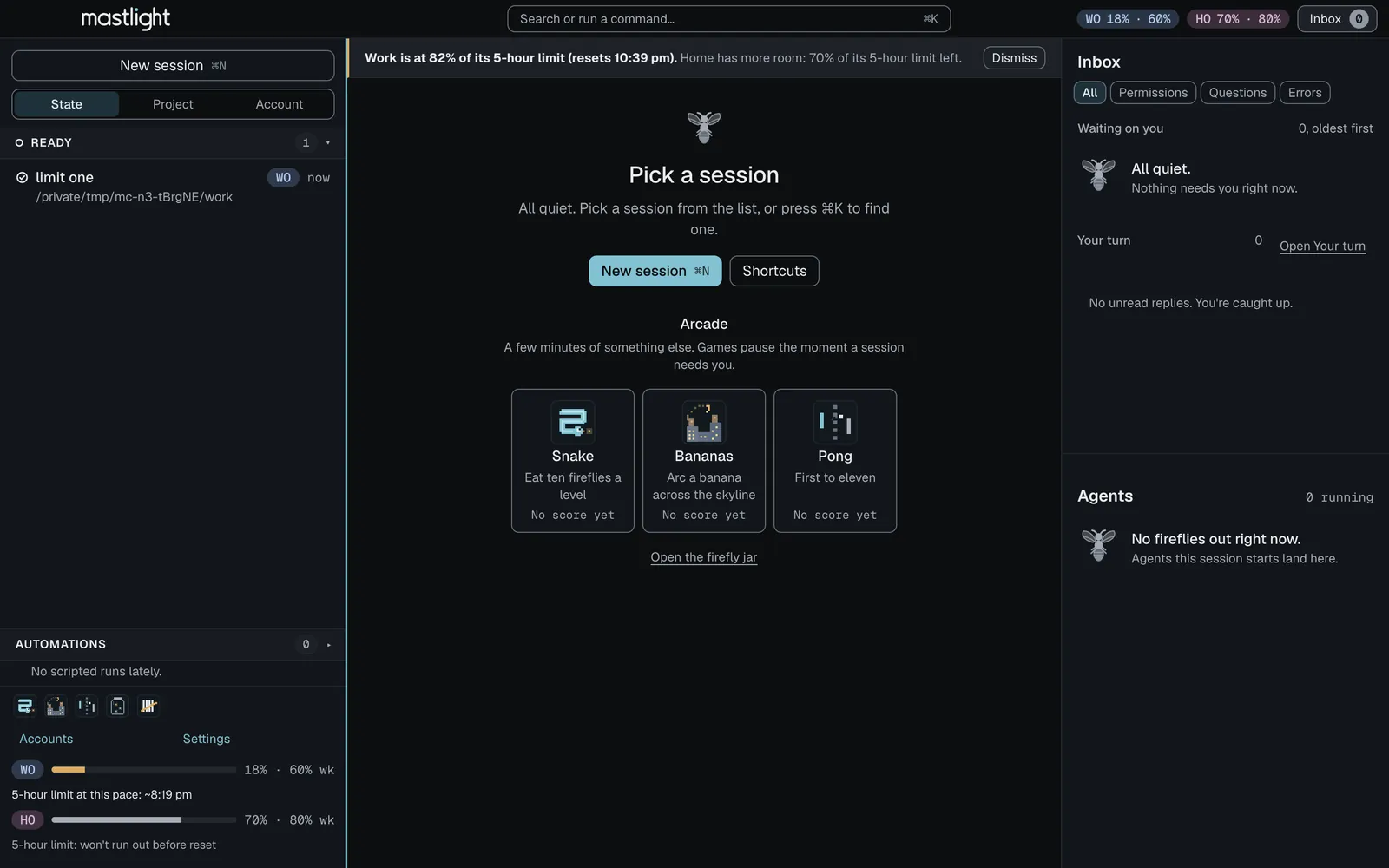
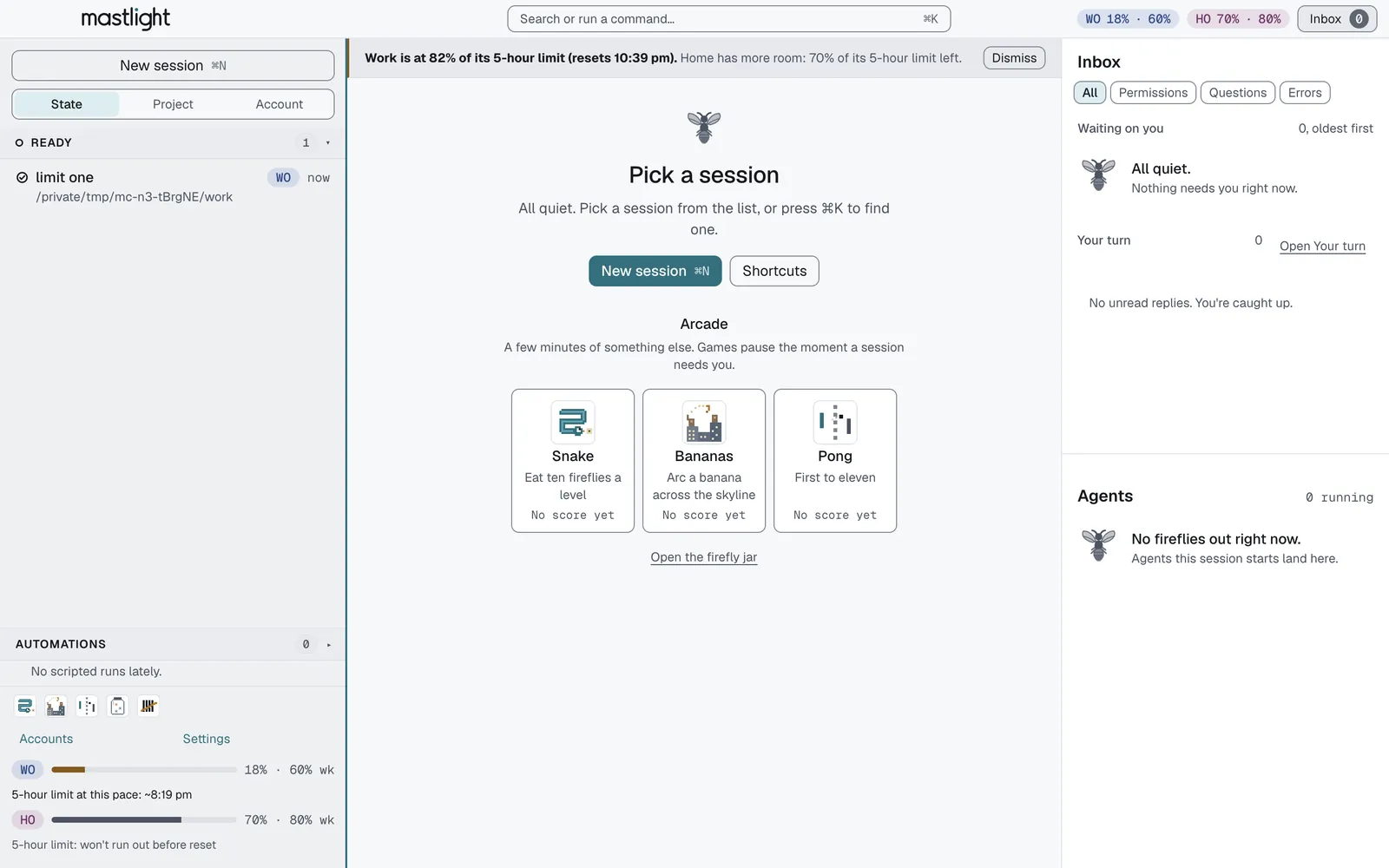
Each account’s gauge forecasts when the limit will run out, warns at 80% and 95%, and shows when another account has more room. It never switches accounts for you.


Claude Code deletes transcripts after 30 days; Mastlight keeps its own copy and searches all of them with ⌘ ⇧ F Ctrl Shift S. A conversation Claude deleted still opens, read-only. Keeping them costs almost no extra disk: on a Mac the copy shares space with Claude’s own file, and what only Mastlight keeps is compressed.
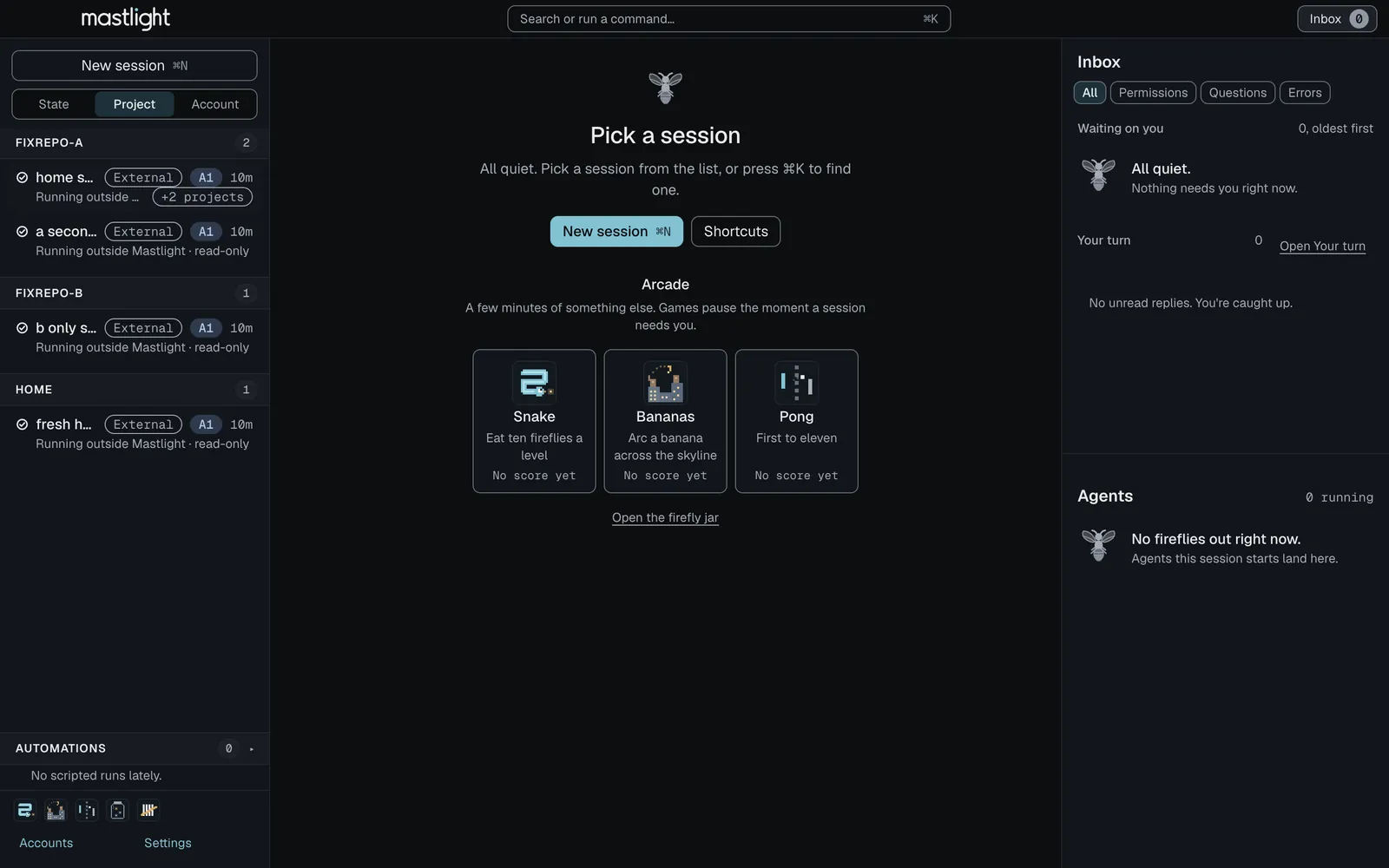
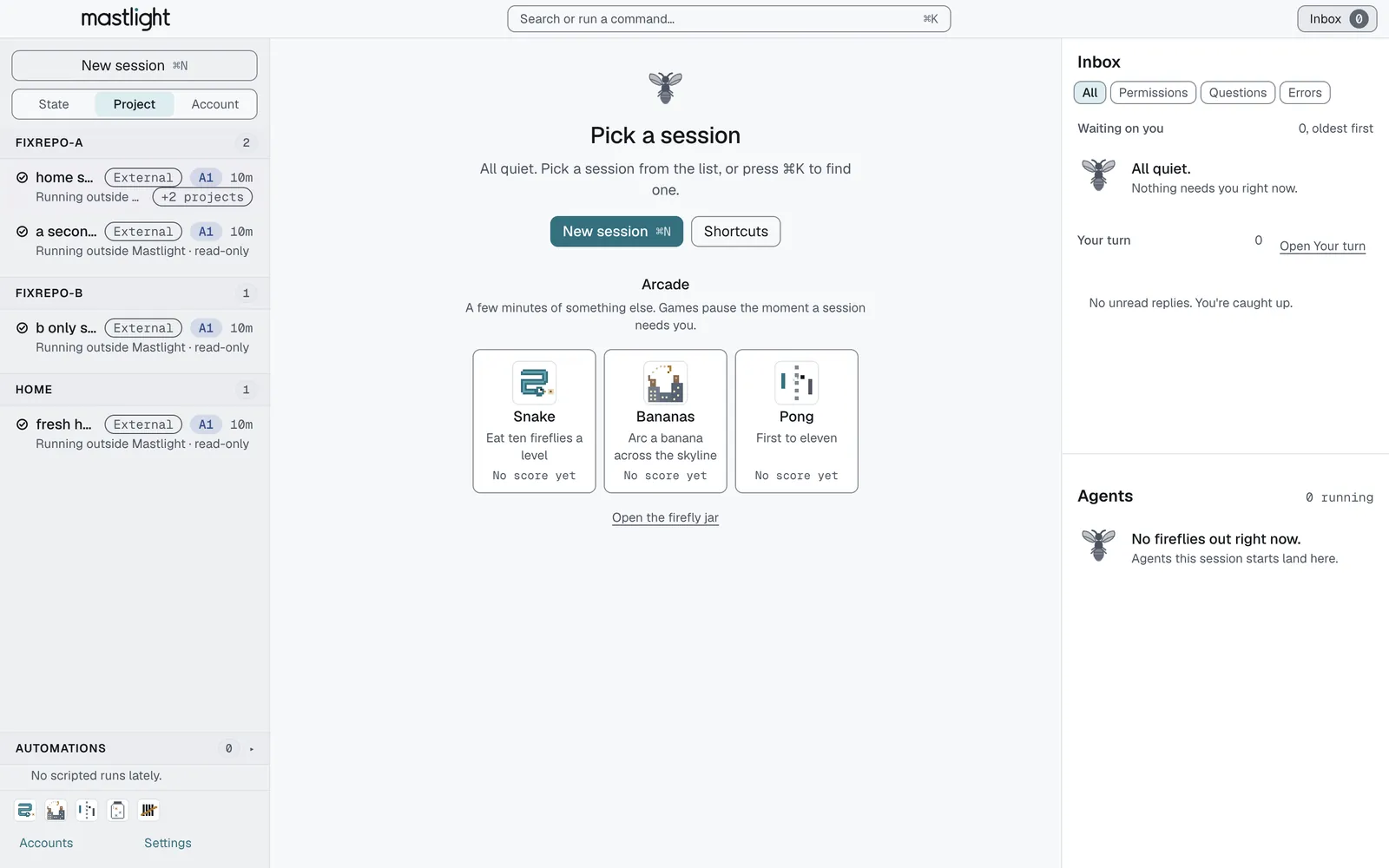
Sessions started in your home folder are grouped by the repo they actually work in, with a chip for the others, and you can override it.


Scripted claude -p runs go to their own collapsed shelf instead of cluttering the list, and quiet sessions can sleep and wake with their conversation intact.


Save how a session starts and launch it from the palette; a panel lists the plugins, skills, MCP servers and CLAUDE.md files it actually loaded.


One offline HTML file that plays a conversation back, with secrets and home paths removed and a review sheet before you save.
how it works
Mac: open the DMG and drag Mastlight onto Applications. The first time, macOS asks you to confirm it in System Settings, because it is not signed yet (here is how). Setup starts straight away.
Windows (new): run the installer. SmartScreen warns because it is not signed yet: More info, then Run anyway (here is how). No administrator prompt, and Mastlight starts when it is done.
/loginMastlight finds your Claude Code, offers the sign-ins already on your computer, or opens a terminal where you run /login yourself. It never sees a credential.
Press ⌘ N Ctrl Shift N, pick a folder and an account, and get on with something else. When a session needs you it moves to the top, and ⌘ J Ctrl Shift J takes you there.
privacy
The window, the sessions and the engine that watches them all run on your computer. So do the history Mastlight keeps and the change snapshots, in Mastlight’s own folder, each with a Clear button.
There is nothing to sign up for and no server of ours to send things to. The only request the app makes on its own is a daily check for a newer version, and you can switch that off.
Sign-ins stay where Claude keeps them (on a Mac, the macOS Keychain or its own folder). Mastlight reads only the email and plan from each account, never a token.
requirements
download
Apple silicon · macOS 13 (Ventura) or later · 148.4 MB
7d3b0d866a2833b099372c2601040d2494d9ccb6258be52cee1a63f1dd4c05d2shasum -a 256 ~/Downloads/Mastlight-arm64.dmgFirst open. Not signed by Apple yet, so macOS asks you to confirm once: System Settings, Privacy & Security, Open Anyway.
Good to know. Setup needs Claude Code 2.1.85 or newer and a Claude subscription.
Windows 10 (version 1809) or Windows 11
aa253d9630e1bd11a2f17ec2da850ef42e9ed0ae4e3b045237604cf4b748499287c88da965dc8095dad16a36ea4d296409f66a6506e2eb0948fafc4e5916b9b2First open. Not signed yet, so SmartScreen says “Windows protected your PC”: choose More info, then Run anyway.
New. This is the first Windows release and it has not been tested on real PCs yet, so expect rough edges. Git for Windows is recommended; Claude Code 2.1.85 or newer and a Claude subscription are needed too.
questions
No. Mastlight is an independent app. It is not affiliated with or endorsed by Anthropic, and it runs the unmodified claude you already have.
No. The hook that shows cards is passed to each session on its own command line (claude --settings <file>). Your own settings files are never edited.
Yes. Add each one by signing in with Claude’s own /login in a terminal inside Mastlight, or import the sign-ins already on your computer. Each account has to be your own. Mastlight never sees a credential, and it does not switch accounts for you: a session starts under the account you pick.
We read Anthropic’s Consumer Terms (effective October 8, 2025) and Usage Policy (September 15, 2025) on 5 October 2026. They do not mention a limit on how many accounts one person may hold, and they do not allow sharing a login. Read them yourself: Consumer Terms.
Nothing to us: there is no server of ours. The one request the app makes by itself is a once-a-day check for a newer version, which you can switch off in Settings. Claude Code itself talks to Anthropic as it always does. So does a guided tour of a change if you switch one on (it is off by default): it runs the session’s own Claude, which talks to Anthropic as usual.
No. It tells you a newer version exists, with a link to download it, but it never downloads or installs one behind your back.
Email hello@mastlight.io. Say which version you have, whether you are on a Mac or Windows, and what happened. Bugs can also go on GitHub as an issue, which is public, so leave out anything private.
On a Mac: in Settings, Uninstall Mastlight (two confirmations) removes the app’s data, its logs and its background helper, then moves the app to the Trash. It does not touch ~/.claude*, your Claude sign-ins or other apps.
On Windows: Settings, Apps, Mastlight, Uninstall. There is no administrator prompt. Your sessions and settings stay in %APPDATA%\Mastlight on purpose; delete that folder by hand for a clean slate. Your Claude sign-ins are not touched.
The build is not signed with an Apple Developer ID yet, so macOS is suspicious of it. Fair enough. Since macOS 15, right-click and Open no longer gets you past that. Instead, open Mastlight once and choose Done when macOS refuses. Then go to System Settings, Privacy & Security, scroll down and click Open Anyway, and confirm. After that it opens like any other app. Getting started has the steps.
If macOS says the app is “damaged” and offers no Open Anyway, run this once in Terminal: xattr -dr com.apple.quarantine /Applications/Mastlight.app
Yes, as of 1.2.14: Windows 10 (version 1809) or Windows 11, on Intel or AMD PCs and on Arm PCs. It is new: this is the first Windows release, it is not signed yet, and it has not been tested on real PCs yet, so expect rough edges. Getting started has the Windows steps.
The installer is not signed with a code-signing certificate yet, so Windows SmartScreen warns about it. Choose More info, then Run anyway. The install needs no administrator prompt. You can check the file first against the SHA-256 in Download.
Open Settings, System, About. If System type says “x64-based”, take the Intel or AMD installer. If it says “ARM-based processor” (Snapdragon PCs, Surface Pro X, Windows in Parallels on a Mac), take the Arm one. On Chrome, Edge and other browsers that report it, the page picks Arm for you; elsewhere the main button is the Intel or AMD build and the Arm one is in Download.
It is recommended. Claude Code uses Git Bash when Git for Windows is installed and PowerShell when it is not.
Not yet for folders inside WSL (paths that start \\wsl$ or \\wsl.localhost): they are not supported, for dev containers or otherwise.
Nearly, with Ctrl in place of the Command key. A Windows terminal already uses most Ctrl keys, so app commands are Ctrl+Shift plus a letter, and F1 shows the whole list. Flip the Keys switch above the window to see either set.
That is the whole idea. Mastlight is in early preview.